
SNACK: 3-line summary
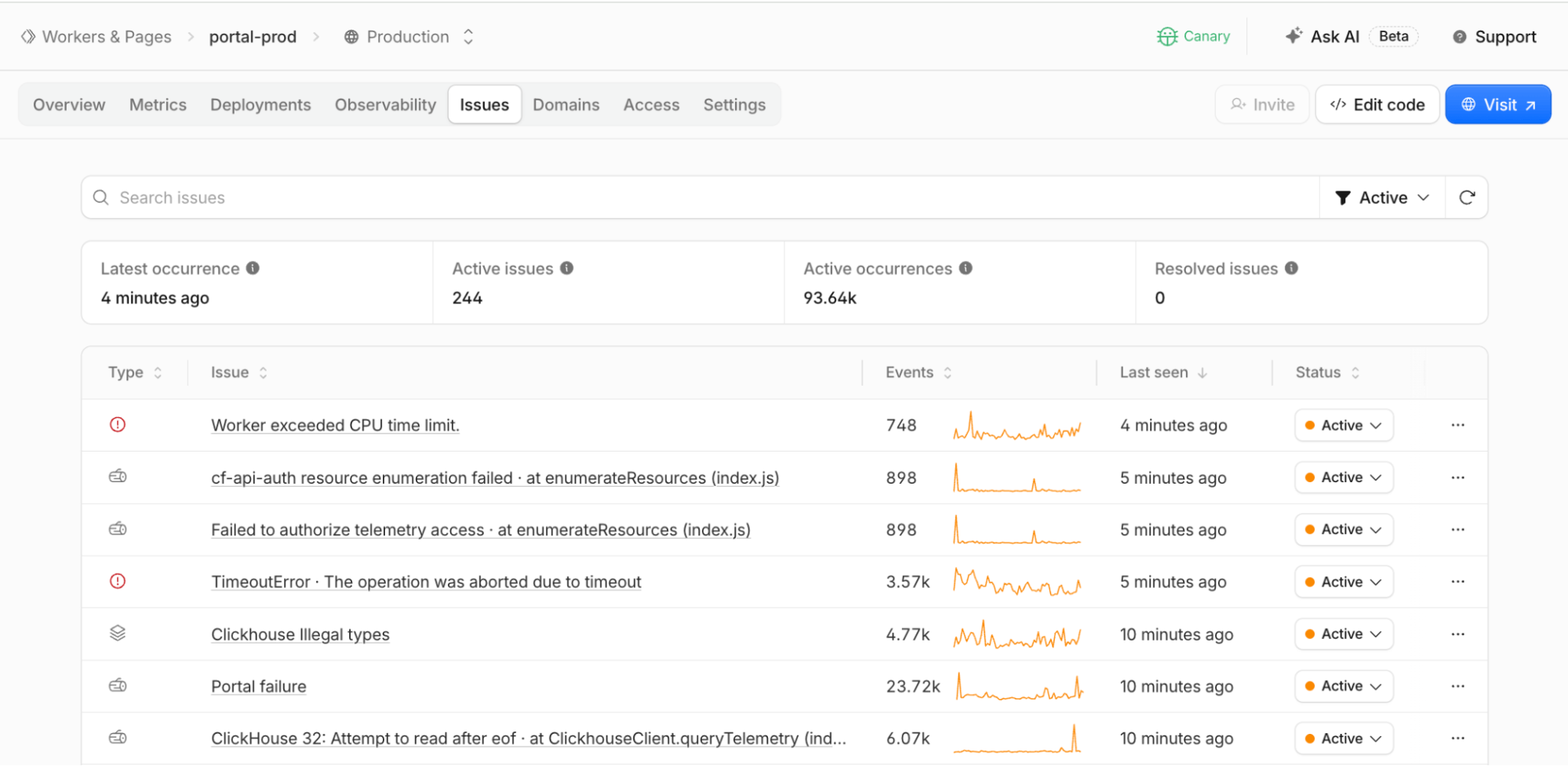
- Cloudflare Workers Issues is now in open beta for built-in production error monitoring.
- Agents can receive errors, logs, traces, the Worker version and application context you add.
- You configure the handoff, review proposed fixes and decide what gets deployed.
Cloudflare introduced Issues for Workers in open beta on September 30, 2026. For developers operating websites and apps on Workers, it connects recurring production failures to coding agents: group the errors, gather their diagnostic context and send it through an automation you configure.
Snackgirls react
AIKO: I’m curious what an agent asks first when repeated errors arrive as one structured case. Counting duplicates is not much of a mystery; finding the missing clue is.
Nea: I’d like to follow one error in a small app through to a fix backed by a test. I think I’d linger over the detail that made the test catch it.
Repeated failures, one issue
Once enabled, Issues groups repeated exceptions, HTTP 5xx responses and error logs into issues. Basic detection is built into the Workers runtime, so there is no SDK to install or application wrapper to add.
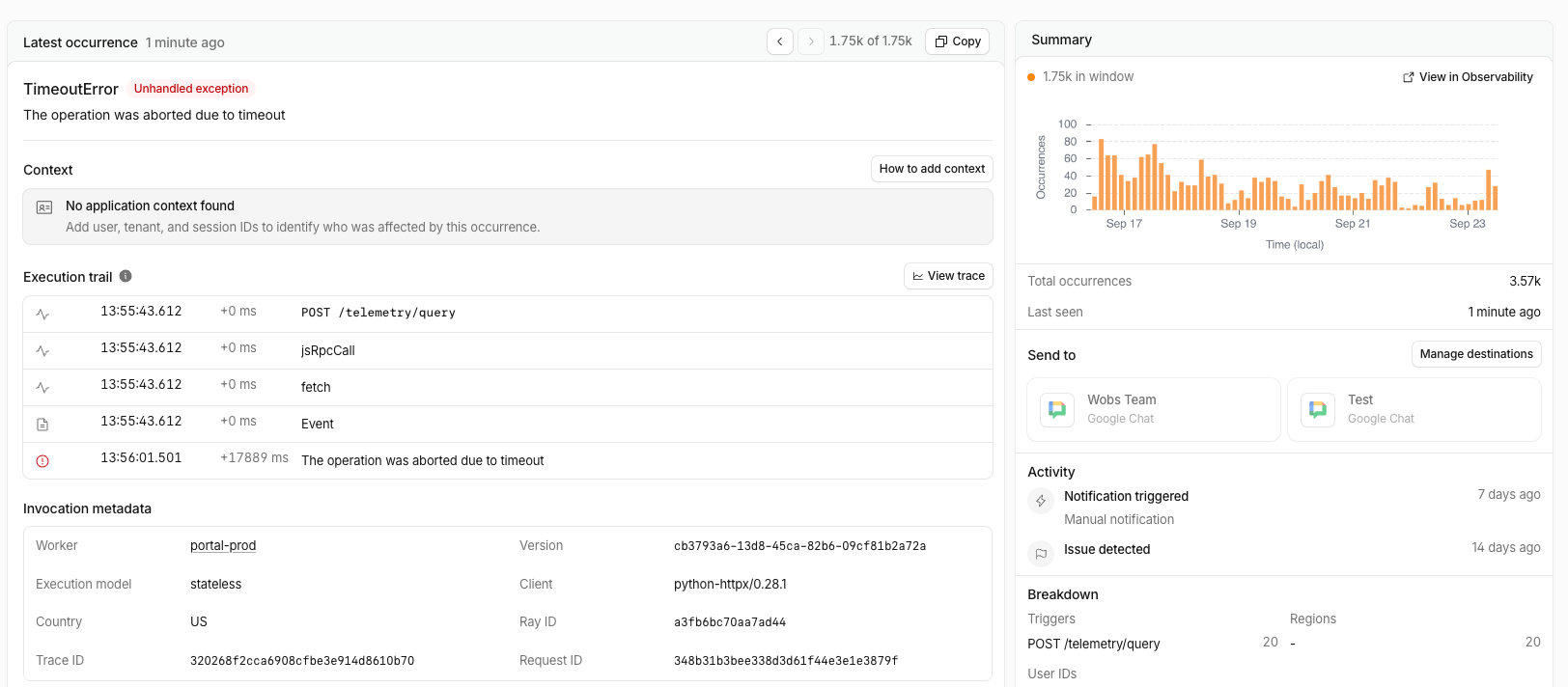
Issue details can show when an error first appeared, how often it occurs and its trend over time, alongside request details, the Worker version, logs and traces. A stack trace is included when available.
Give the error some application context
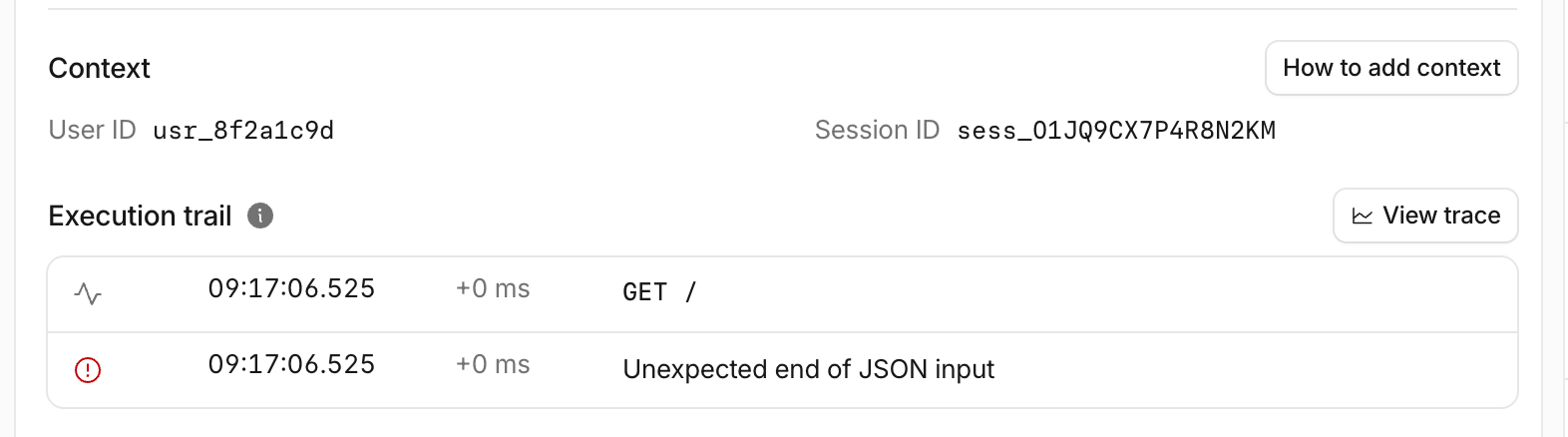
Cloudflare can capture what happened inside a Worker, but it does not automatically know which users, accounts or sessions matter to your app. You can add those identifiers through the runtime’s built-in OpenTelemetry API. They then appear with each occurrence, helping you see whether failures cluster around a particular account or session.
Choose when the agent gets involved
Automations can send an issue when it crosses an occurrence threshold or returns after a quiet period. You choose the trigger and destination, with integrations for Claude Code, Cursor and Devin, plus generic HTTPS webhooks and chat or incident-management workflows.
The handoff includes the failure summary, a source-mapped stack trace when available, surrounding logs and traces, the Worker version and any application context you added. For deeper investigation, you can separately connect the agent to Cloudflare MCP so it can query related logs and traces, propose code and test changes, and open a pull request.
Enable detection; keep deployment in your hands
To start, set observability.issues.enabled to true in wrangler.jsonc, then configure an automation in the Cloudflare dashboard. The cf CLI can also inspect issues and create automations.
The workflow still leaves the production decision with you: review the pull request, deploy the fix and mark the issue resolved. Sending an issue to an agent does not automatically deploy a repair.
Source: Cloudflare Blog · Checked October 1, 2026.
Sources and checked date: Cloudflare · October 1, 2026