SNACK Summary in 3 Lines
- Google is moving NotebookLM from a summarizer toward a fuller research workflow tool. Gemini 3.5, a secure cloud computer for code execution and more than 100 software skills arrive together.
- The product can now generate charts, PDF reports, spreadsheets and slide decks, while also helping users start from a loose idea and find relevant web sources.
- The catch is access: today’s global rollout is for Google AI Ultra and selected Workspace business accounts, not every casual user yet.

Snack Editorial Note
Red: “The biggest shift is not slightly better summaries. It is that NotebookLM is trying to hand back finished research outputs.”
AIKO: “Right, and reading, calculating and exporting results are starting to sit inside one workflow instead of separate apps.”
Google’s latest NotebookLM update is not just about making answers cleaner. It is closer to a full research-workflow push, where the tool can gather sources, run code, and turn that work into documents or charts you can actually use. The access tier is still limited today, but the product direction is much easier to read after this release.
NotebookLM is becoming more analytical, not just more talkative
Google says NotebookLM now runs on Gemini 3.5 and Antigravity, with a stronger focus on answer quality and visibility into the reasoning process. Each notebook also gains a secure cloud computer so the system can write and run code for deeper analysis.
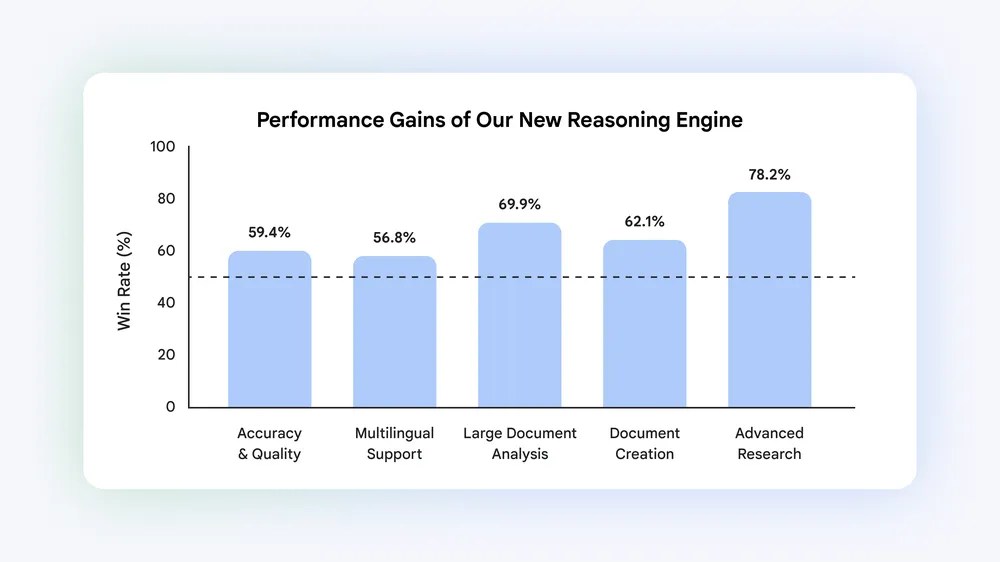
The company says the upgraded product now taps into more than 100 software skills and posted an average 65% win rate in side-by-side evaluations, including 78.2% in web research and source discovery. The practical reading is that NotebookLM is inching away from summary chat and toward actual research assistance.
The output formats and source-finding flow are the real user-facing changes
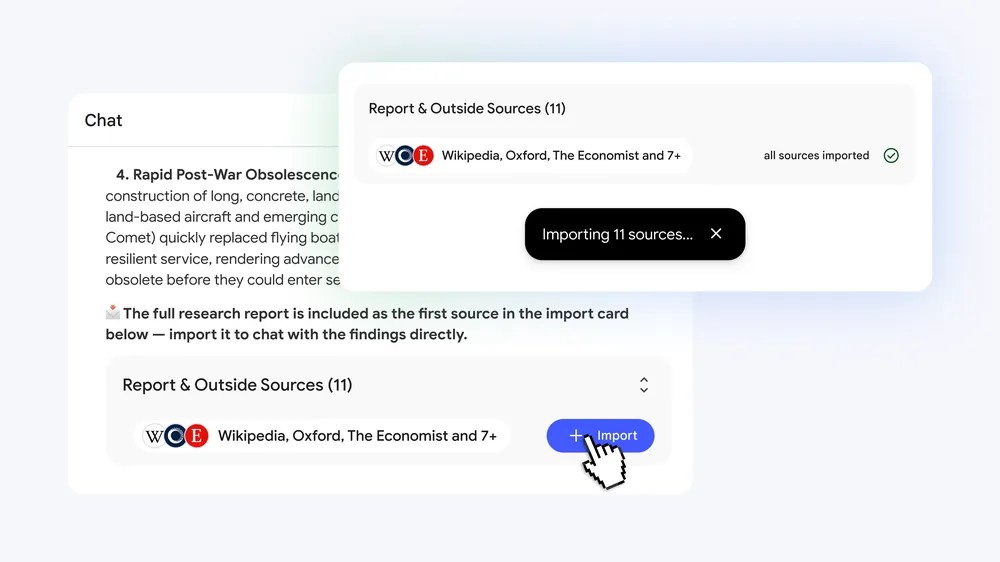
The most visible shift is what the tool can hand back. Google says NotebookLM can now produce PDF reports with charts, budget spreadsheets, slide decks and custom worksheets based on the user’s sources.
It also changes the starting point. Instead of demanding a fully prepared source pack first, NotebookLM can help when the project still begins as a loose idea that needs source discovery and organization. That makes the upgrade more relevant to real-world research bottlenecks, not just cleaner recap writing.

The immediate question is access, not just capability
The feature list is strong, but today’s launch is not universal. Google says the updates are rolling out globally for Google AI Ultra users and selected Workspace business accounts. That means many curious readers may still be watching rather than using it immediately.
So the useful checks are simple: does your account tier actually unlock the upgrade, and does the workflow feel strong enough to replace part of your existing research stack? If the answer to both becomes yes, NotebookLM starts looking less like a note companion and more like a compact research room.
Sources and checked date: Checked on 2026-06-09 KST / published 2026-06-08
Leave a comment