SNACK Summary in 3 Lines
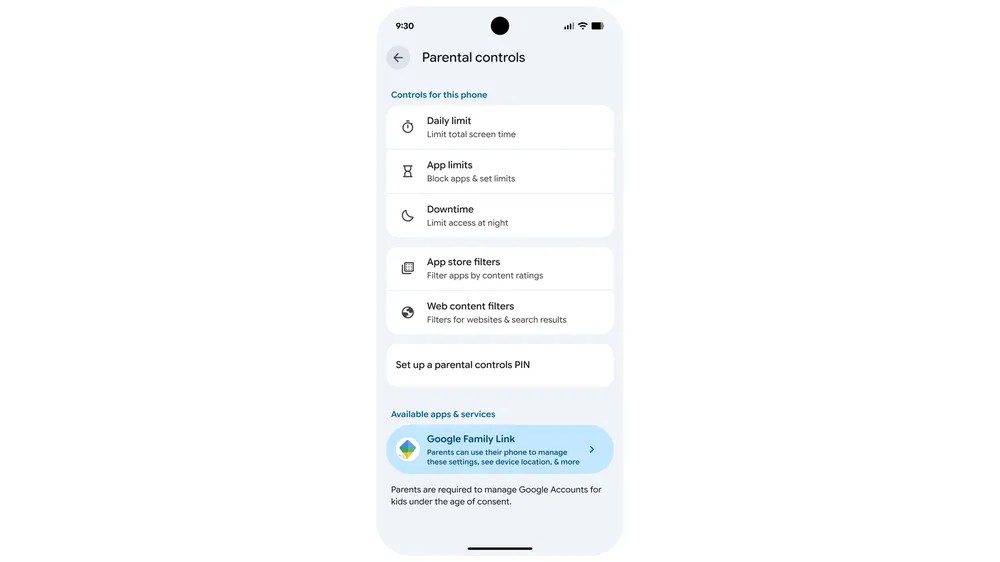
- Google is expanding built-in parental controls across Android 17 devices, bringing screen-time and app-limit tools closer to the main device-settings flow.
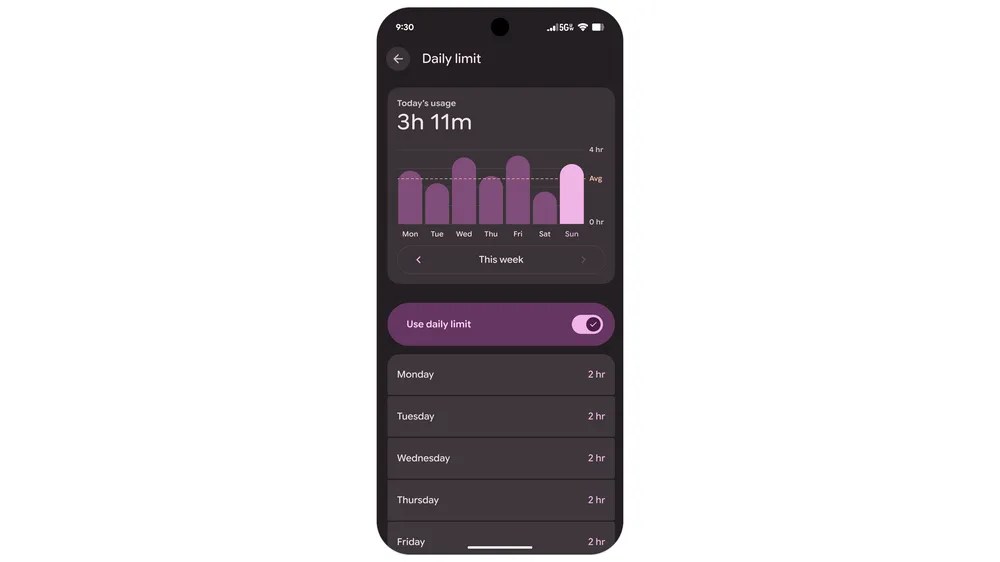
- Parents can more directly manage daily screen time, downtime schedules, and limits or blocks on specific apps from the device side.
- Google is also tightening the path into Family Link, which means School Time, purchase approvals, and location alerts sit closer to the same control flow.
Snack Editorial Note
Red: This is not flashy, but it is exactly the kind of family feature that gets used every week once it is convenient enough.
AIKO: The key is that the controls are moving closer to ordinary device settings, which lowers the friction for parents who actually need to turn them on.
Kirari: App-specific limits and bedtime locks sound small on paper, but they are usually the rules families reach for first.
Google’s latest Android parental-controls update is about placement as much as capability. The company is bringing parent-focused controls deeper into the Android 17 settings flow, which matters because screen-time rules only help if families can actually reach and use them quickly.
What becomes easier inside Android 17
Google says the expanded parental controls will reach Android 17 devices more broadly, with direct controls for daily device time, nighttime downtime schedules, and time limits or full blocks on specific apps. The important change is not only the menu list, but the fact that those controls sit closer to where families already manage devices.
That makes this a practical update rather than a policy headline. The faster a parent can set a rule from the device itself, the more likely the rule gets used consistently.

Why the Family Link path matters too
Google also highlights a more direct path from these device controls into Family Link. That matters because Family Link covers broader parent tools such as School Time, Google Play purchase approvals, and location alerts on a parent’s phone.
In practice, the update is trying to reduce the gap between on-device restrictions and account-level family management. Start with one quick rule in settings, then move into deeper family controls without losing context is the real product flow here.
Who will feel this first
Families already using Android are likely to feel the benefit sooner than people shopping for a brand-new device. App-specific limits and bedtime locks are usually the first rules households try when they want less negotiation and more consistency.
The next checkpoint is rollout clarity. How widely and how consistently these controls land across Android 17 devices will determine whether the update feels universal or still fragmented by device maker and region.
Sources and checked date: Checked on 2026-06-18 KST / published 2026-06-16
Leave a comment