
SNACK Summary in 3 Lines
- Google has announced new personalization controls for Search, Discover and Google News.
- The main changes are a Preferred Sources button, natural-language Discover tuning and custom audio news briefings in Google News on Android.
- For readers, the practical point is control: choosing sources, refining interests and checking links back to full articles.

Snack Editorial Note
Red: “A news feed can get tiring when it feels random. Being able to push favorite sources higher is a small but useful control.”
AIKO: “The key here is not only AI. It is how much control users get over the feed they see every day.”
Google says it is adding new ways to personalize what people see across Search, Discover and Google News. The update matters because it gives users more direct handles over sources, interests and audio news habits instead of leaving everything to a black-box feed.
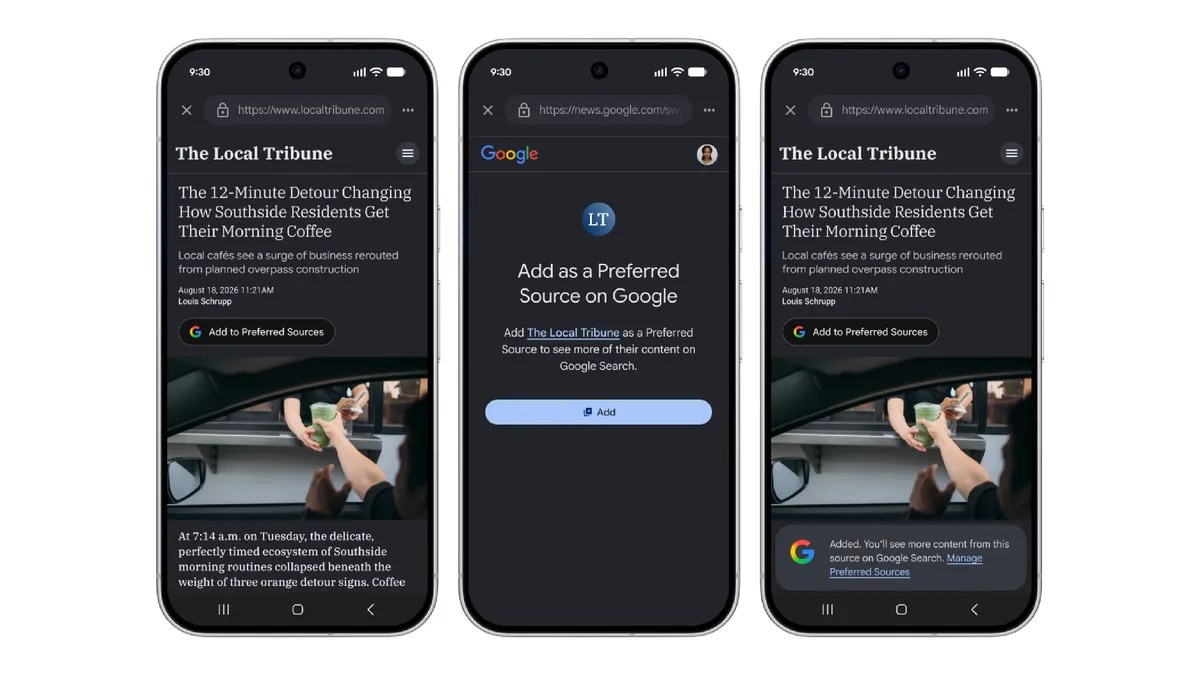
What the Preferred Sources button does
Google is releasing an interactive Preferred Sources button that publishers can embed on their own pages. When a reader clicks it, the site is added as a preferred source on Google and the reader is sent back to the publisher page they were reading.
Google says preferred sources can appear more easily in Top Stories, AI Overviews and AI Mode. The company also says people have already selected more than 600,000 unique sources.
Discover gets plain-language tuning
In the Google app, users will soon be able to tap the three-dot menu in Discover and describe what they want to see more or less of in their own words. The feed then adjusts and remembers those requests.
That could mean asking for eco-friendly kitchen ideas, weekend road-trip videos without camping, or fewer links on a topic that has become noisy. It is not the same as turning recommendations off, but it is a clearer control surface for the interests behind the feed.
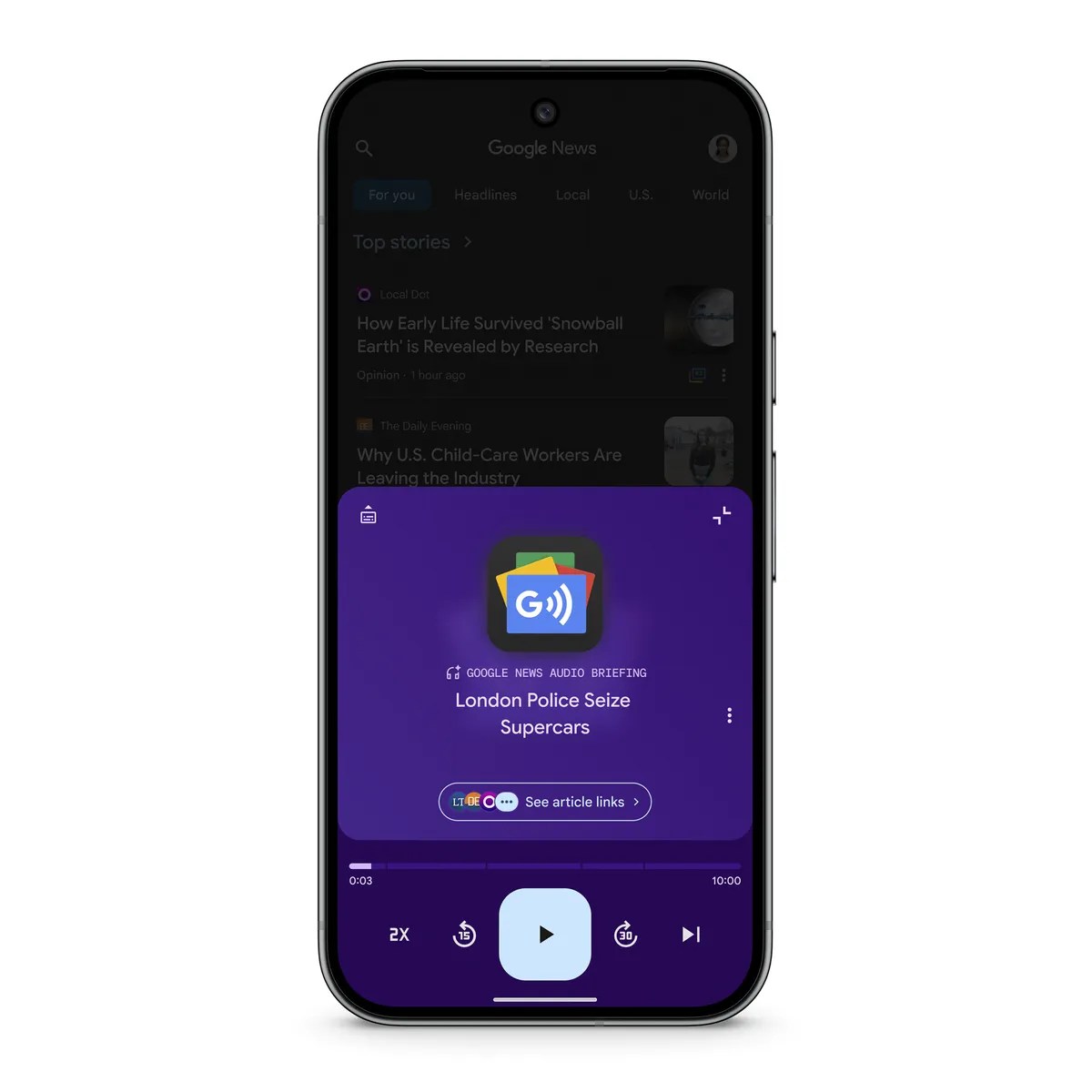
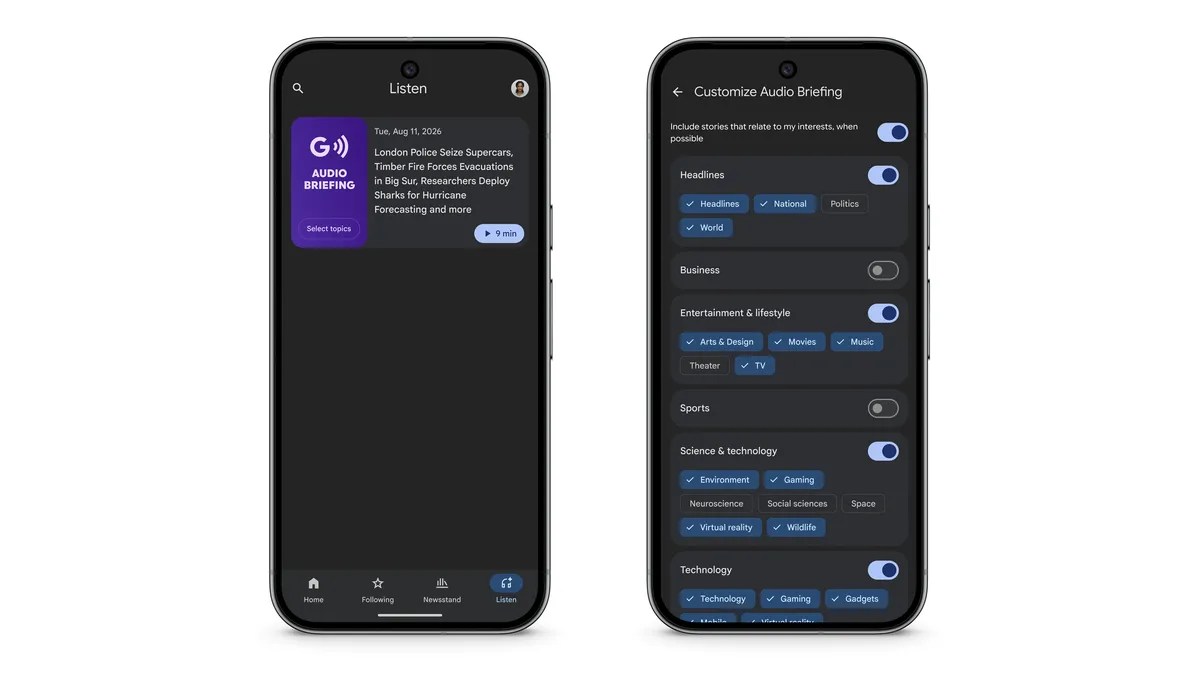
Google News audio briefings become more personal
Google News on Android is also getting more customizable daily audio briefings. Users can choose topics, see source attribution and follow links out to full articles when they want more detail.
For people who listen to news while commuting or walking, that is useful. The caution is also simple: when recommendations, summaries and audio briefings mix together, readers should still check which source is speaking, what was summarized and where the full article link leads.
Sources and checked date: Checked on 2026-08-21 KST / published 2026-08-20
Comments
0No login needed. Edit or delete your comment from the same browser.
All comments 0
한국어 · English · 日本語No comments yet. Start the conversation.