
SNACK: 3-line summary
- Google Vids now offers free Gemini Omni 1.1 Flash video generation to people with Google or Google Workspace accounts.
- Users can create new scenes in 1080p, extend scenes and specify clip durations.
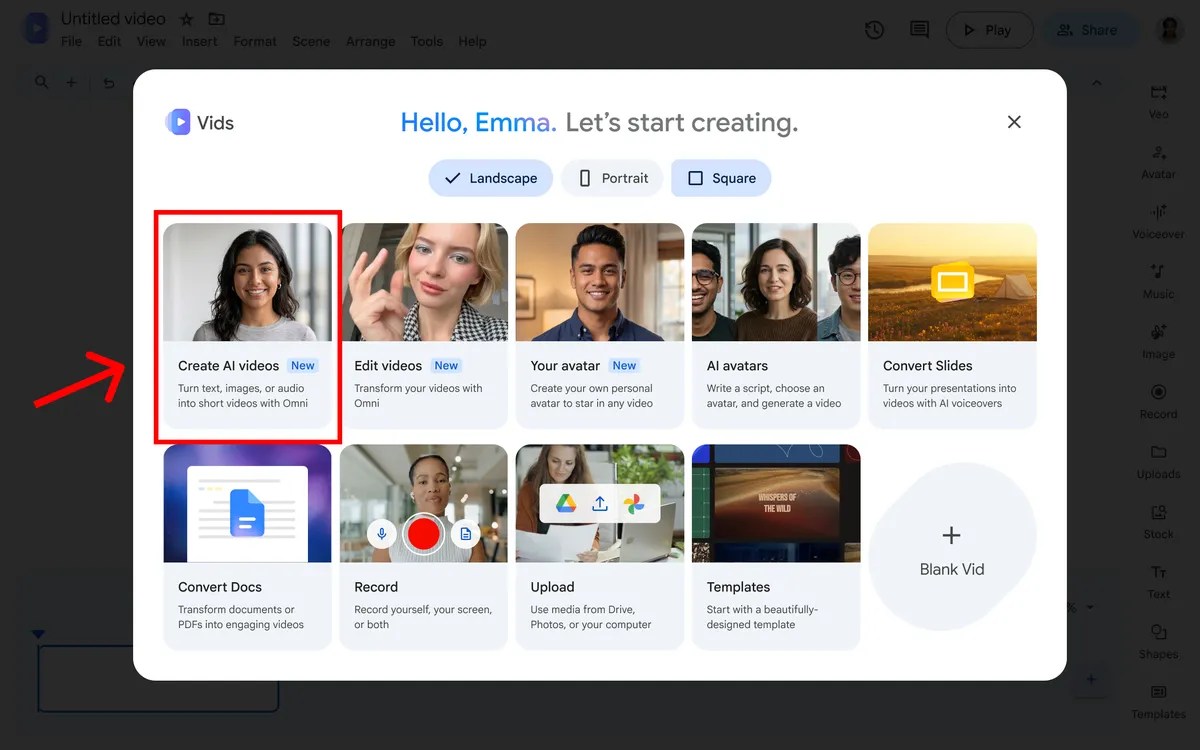
- On a desktop, visit vids.new and select “Create AI videos” to get started.
Google has brought Gemini Omni 1.1 Flash to Google Vids. Anyone with a Google or Google Workspace account can generate videos at no cost, with controls for scene length and transitions.
Snackgirls react
AIKO: I’d like to put a newly generated 1080p scene and an upscaled AI clip on the same timeline and see how they fit together.
Nea: If a character’s appearance holds as a scene grows longer, I’d like to try telling a short story with a little more room to breathe. I’m curious how the mood carries between scenes.
Extend a scene and set its duration
Omni 1.1 can extend scenes while keeping their visual context, lighting, characters’ appearance and environment consistent. Creators can also set a generated clip’s exact duration to fit a story or voiceover.

New scenes in 1080p, existing AI clips upscaled
Users can generate new AI video scenes in 1080p or upscale existing AI clips. Google also suggests starting with a ready-made template or turning a few photos of new arrivals into a promotional video.
Where to start—and how generated clips are marked
On a desktop, open vids.new and select “Create AI videos.” Every clip generated with Omni 1.1 in Google Vids has an imperceptible SynthID digital watermark embedded in its frames so viewers can verify that it was AI-generated.
Google says Gemini 3.8 Flash-Lite text-to-speech is coming to Google Vids. The planned feature will turn scripts into voiceovers in more than 100 languages.
Sources and checked date: Google · September 28, 2026