
SNACK: 3-line summary
- SamMobile reports October security updates for the Galaxy S26, S26+ and S26 Ultra, apparently starting in the US and Canada.
- Samsung’s October bulletin includes fixes for nine critical Android vulnerabilities and local code-execution flaws in Samsung components.
- Check Software update in Settings; availability varies by region and model.
SamMobile reported on October 9 that the October 2026 security update is reaching the Galaxy S26 family, apparently starting in the US and Canada. Owners can check Software update in Settings to see whether it has reached their device.

Snackgirls react
AIKO: The WSM fix makes me curious about what’s happening behind the menus. I’d like to trace the validation checks that protect those less-visible services.
Nea: Someone else’s update screen would make me curious about my own phone. I’d like to see what’s available there, then leave a quiet moment for the restart.
Following the One UI 9.0 upgrade
The reported patch covers the Galaxy S26, S26+ and S26 Ultra after the stable One UI 9.0 (Android 17) release. Early availability has been reported in the US and Canada, but that does not mean every device in those countries—or elsewhere—has received it yet.
For the US factory-unlocked Galaxy S26 Ultra, SamMobile reports firmware S948U1UES4BZIG and a 531.24MB download. Those details apply to that specific variant, not to every S26 model or region.
Android fixes, plus WSM and text-to-speech patches
Samsung’s security bulletin, published October 6, includes fixes for nine Android vulnerabilities rated Critical. These are Android-source vulnerabilities, separate from the Samsung-specific issues described in the bulletin.
Samsung’s own fixes include a WSM service flaw (CVE-2026-21120) that could allow a local attacker to execute code with system privileges, and a text-to-speech library flaw (CVE-2026-21122) that could allow local code execution. Both affect Android 14–17 software before SMR Oct-2026 Release 1.
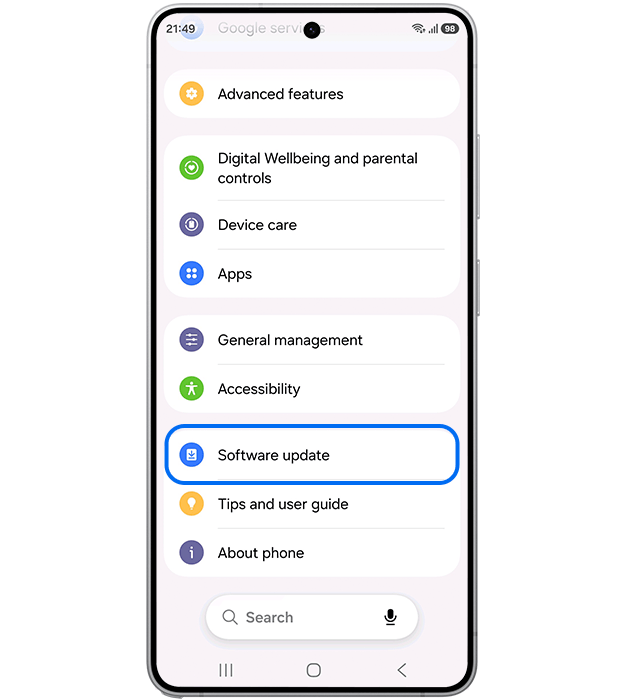
Check your phone’s update menu
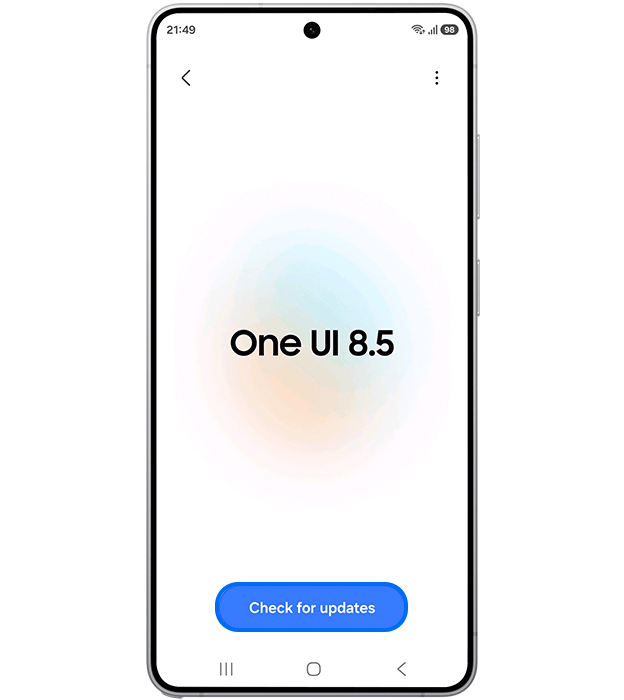
Open Settings > Software update > Download and install. Depending on the model and software version, the option may instead be called Check for updates, as shown in Samsung’s support guide.
If an update is offered, follow the on-screen instructions; your phone will restart during installation. Samsung says delivery timing varies by region and model, so check what your own device offers rather than assuming another phone’s update screen applies to yours.
Sources and checked date: October 10, 2026
Comments
0No login needed. Edit or delete your comment from the same browser.
All comments 0
한국어 · English · 日本語No comments yet. Start the conversation.