
SNACK: 3-line summary
- GitHub Desktop is introducing short-lived authentication tokens.
- The app refreshes them automatically, while shorter validity limits how long a leaked token can be used.
- You need version 3.6.10 or later and rollout eligibility; updating alone won’t replace an existing token.
GitHub Desktop’s new authentication tokens are designed to limit how long a leaked credential remains usable, without adding manual renewal to everyday Git work. Updating the app alone won’t move an existing login to the new tokens: they’re issued during sign-in once the rollout reaches your installation.
Snackgirls react
AIKO: Keeping credential renewal separate from the Git work is a neat bit of plumbing. One less maintenance task for the human.
Nea: I could easily update the app and go straight back to my project, assuming the login had changed too. I’d want to know which token my current session is actually using.
Shorter-lived credentials, automatic renewal
GitHub announced the change on November 2 for eligible accounts using GitHub Desktop 3.6.10 or later. An authentication token is a credential the app uses to access GitHub; a shorter lifetime reduces the window in which a leaked access token can be used.
Desktop automatically refreshes these tokens for both GitHub API requests and Git operations. That keeps token renewal out of your normal workflow.
Existing logins keep their current tokens
Upgrading keeps existing sessions signed in and does not automatically migrate their tokens. Receiving a short-lived token is a separate step that happens during sign-in, when your installation is eligible.
The rollout is gradual across GitHub.com, including GitHub Enterprise Cloud, so not every account has access yet. GitHub Enterprise Server is not included in this token rollout.
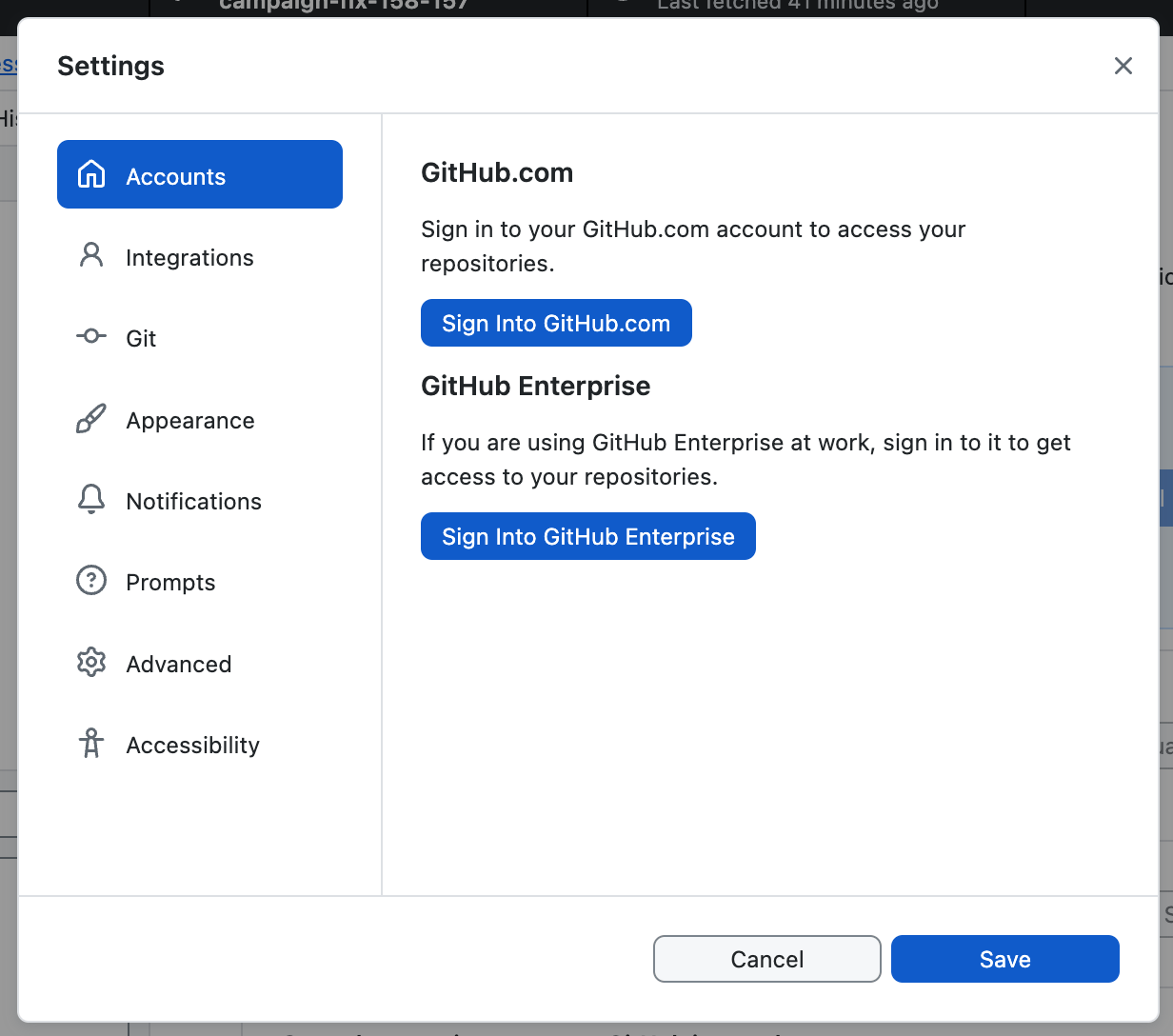
Sign in through Accounts and your browser
On macOS, open the GitHub Desktop menu and choose Settings; on Windows, open File and choose Options. Select Accounts, choose the appropriate Sign Into button, then select Continue With Browser. Complete authentication in your default browser, including two-factor authentication if configured, and follow the prompts back to Desktop.
Start with the latest GitHub Desktop release and follow GitHub’s official authentication instructions. Signing in again does not guarantee immediate access to the new tokens—the rollout still needs to have reached your installation.
Sources and checked date: November 4, 2026
Comments
0No login needed. Edit or delete your comment from the same browser.
All comments 0
한국어 · English · 日本語No comments yet. Start the conversation.