
SNACK: 3-line summary
- Google Vids has paused the rollout of custom avatars created from uploaded images.
- The announced workflow saves an avatar within a Vids project for consistent reuse in a video.
- An eligible account does not guarantee access; Google says it will post an update when rollout resumes.
Google has paused the rollout of Google Vids’ new image-upload option for custom AI avatars. Having an eligible account or seeing upload instructions in the Help Center does not mean the option is available to you now.
Snackgirls react
AIKO: I’m curious about using a project copy as a reusable starting template. The presenter comes along with the project—no separate packing list.
Nea: Once the rollout resumes, I’d like to try keeping the same narrator across scenes. A familiar face could make a tutorial feel more connected.
Both release tracks are on hold
Google announced the feature on November 2, then added the pause notice on November 3. The timetable is now listed as TBD for both Rapid Release and Scheduled Release domains. Google has not published a reason for the pause or a restart date.
Start with an image, keep the avatar with the project
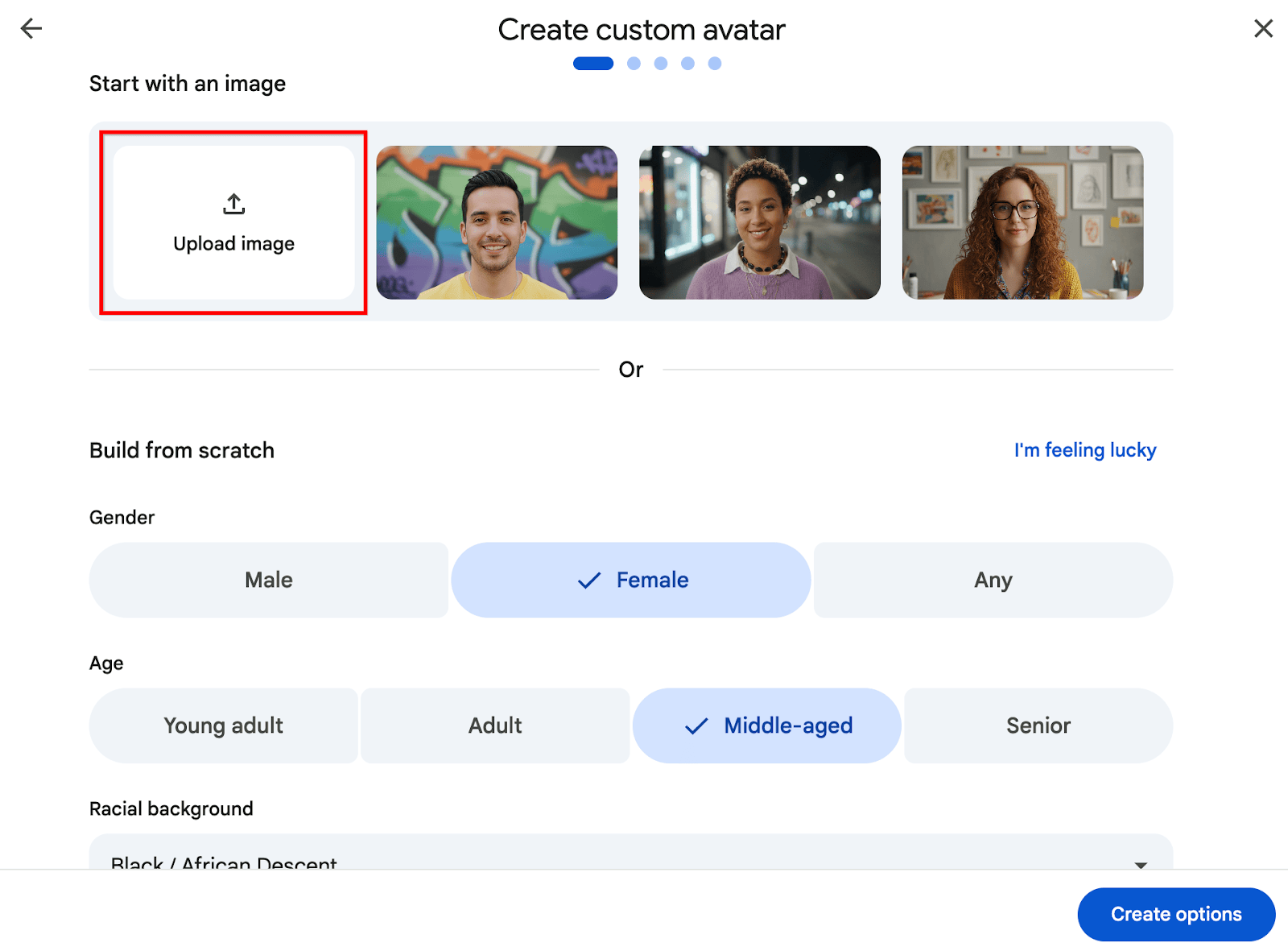
The announced workflow adds images from a computer, Google Drive or Google Photos as a starting point alongside the existing build-from-scratch option. Creators can refine backgrounds and lighting, choose a voice and supply a script for the avatar to read. The avatar is saved within the Vids project for reuse in that video; to carry it into another file, the Help Center describes copying the project.
Eligibility is not a promise of immediate access
The announcement lists business, education and personal-account offerings, while avatar generation limits vary by plan. During the pause, the Help Center’s image-upload steps describe the workflow rather than confirm that rollout has resumed. Google says it will update the announcement when rollout restarts.
Sources and checked date: November 5, 2026
Comments
0No login needed. Edit or delete your comment from the same browser.
All comments 0
한국어 · English · 日本語No comments yet. Start the conversation.