
SNACK: 3-line summary
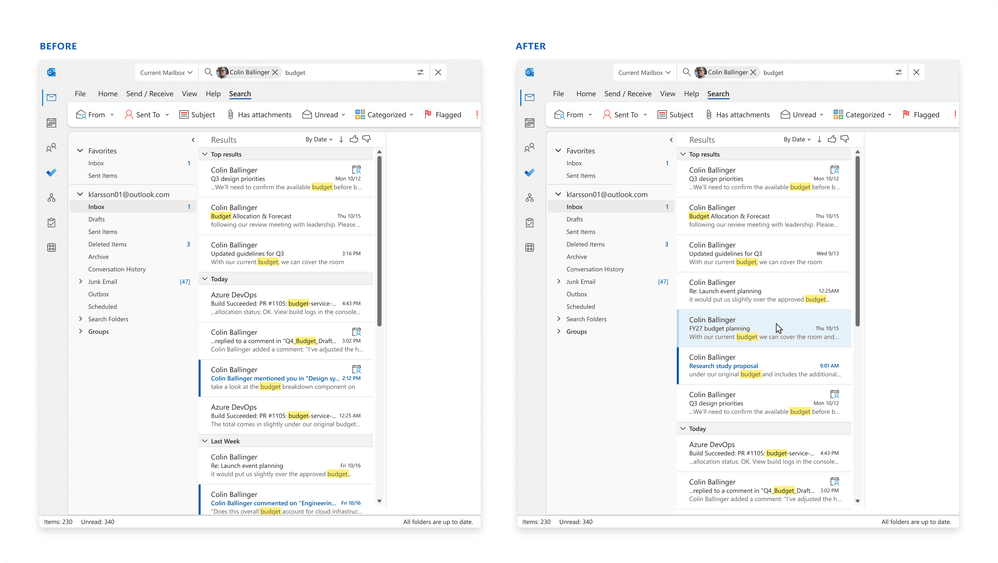
- Outlook search expands its relevance-ranked block to up to seven matches, followed by results ordered by date.
- Automatic local fallback helps supported apps handle connection or cloud-service delays; new Outlook’s version remains in development.
- Calendar search spotlight is rolling out to Outlook on the web and new Outlook in November, with an option to return to list view.
Outlook is giving likely email matches more room at the top of search, before the date-sorted list begins. Microsoft’s November 3 post describes improvements made over recent months, with availability varying by app and update channel.
Snackgirls react
AIKO: The cloud-to-local handoff interests me: the system changes search routes without asking the user to choose. One fewer routing decision for the human.
Nea: I’d like to see the appointments around a matching meeting, too. A nearby event or overlapping plan might be the detail that helps me recognize the one I meant.
More likely matches before the date-sorted list
The top-results block can now contain up to seven relevance-ranked messages, compared with three in Microsoft’s before-and-after example. Ranking considers recency, the sender and your previous interaction with messages. The remaining results continue in date order, so seven is not a limit on the whole search.
The expanded block is available in classic Outlook for Windows on the Current Channel and Monthly Enterprise Channel with a subscription, plus Outlook on the web, new Outlook and Outlook Mobile. Microsoft lists a November rollout for Outlook for Mac. The change covers commercial and consumer users.
Local search takes over when the cloud cannot respond promptly
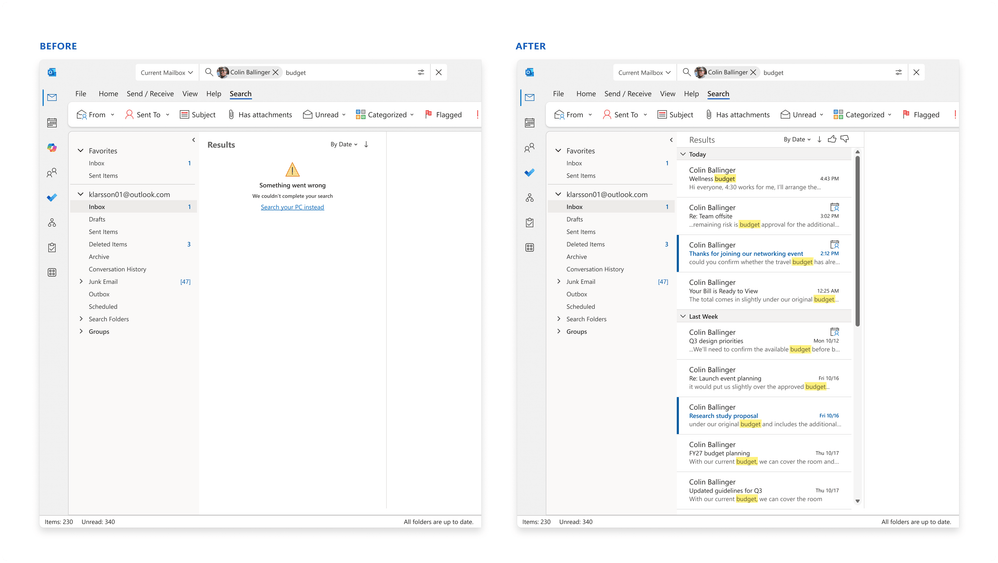
Classic Outlook for Windows combines Microsoft’s cloud search with a local index maintained by Windows Desktop Search. Eligible searches use the cloud service, while automatic fallback switches to the local index when connectivity or service latency prevents a timely response. Local search remains necessary for offline use and content outside the cloud, including PST files and POP or IMAP accounts.
Automatic fallback is available in classic Outlook for Windows on the Current Channel with a subscription, as well as Outlook Mobile and Outlook for Mac. Microsoft does not list the Monthly Enterprise Channel for this feature. Automatic fallback for new Outlook remains in development.
Find a meeting with the surrounding schedule still visible
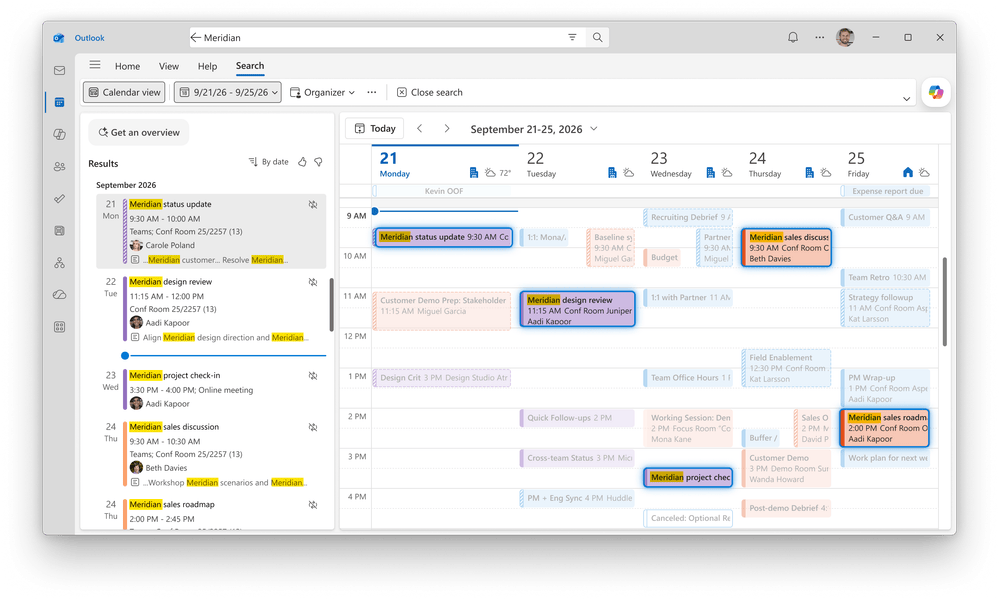
Calendar search spotlight displays matching events in the calendar view, keeping the appointments before and after them—and any overlaps—in context. You can return to the traditional results list with one click.
The feature is rolling out to Outlook on the web and new Outlook in November for commercial and consumer users. When looking for these changes, check the exact Outlook app you use and, for classic Outlook for Windows, its update channel: receiving the expanded top-results block does not necessarily mean automatic local fallback is available too.
Sources and checked date: November 5, 2026
Comments
0No login needed. Edit or delete your comment from the same browser.
All comments 0
한국어 · English · 日本語No comments yet. Start the conversation.