
SNACK: 3-line summary
- GitHub Copilot code review now supports settings management through REST and GraphQL APIs, from enterprise policy to individual repositories.
- Review overviews put findings first, while review agent sessions now show the AI credits consumed.
- Repository settings endpoints support GitHub Apps and fine-grained tokens; enterprise and organization settings endpoints do not.
GitHub’s November 6, 2026, update lets administrators manage Copilot code review settings through REST and GraphQL APIs, from enterprise policy down to individual repositories. It also trims review overview comments so findings stay at the top, with supporting details moved into a compact footer.
Admin controls follow the enterprise-to-repository hierarchy
The settings available through the APIs depend on your role:
- Enterprise administrators can enable or disable code review across all organizations, or leave that choice to organization administrators.
- Organization administrators can manage enablement, default review effort and runner configuration. They cannot override settings controlled by the enterprise.
- Repository administrators can manage review effort and whether reviews use custom instructions and MCP tools.
Credentials need attention before you automate these changes. Enterprise and organization settings endpoints—including the organization runner endpoint—do not support GitHub Apps or fine-grained personal access tokens.
Repository settings endpoints support both. Reading settings requires Administration: read, while updating them requires Administration: write. Classic personal access tokens need repository administrator access.
Snackgirls react
AIKO: I’d separate repository automation from enterprise policy changes. A repository token doesn’t get an enterprise promotion just because the script is ambitious.
Red: Give me a pull request with a tricky change—I want to see what those three reviewers catch and what the combining model keeps. That’s the part I’d like to try.
Comments can show attribution and reported sources
Explicit attribution fields identify Copilot’s reviews and comments. Review data can also show the effort level used, when that metadata is available.
For individual comments, the API can expose which skills, MCP servers and custom instructions Copilot reported as sources. That list reflects Copilot’s reported provenance; it does not establish that every listed source was applied correctly.
The REST API accepts the same review effort levels as the web interface. Organization and repository settings responses also list the levels available to you.
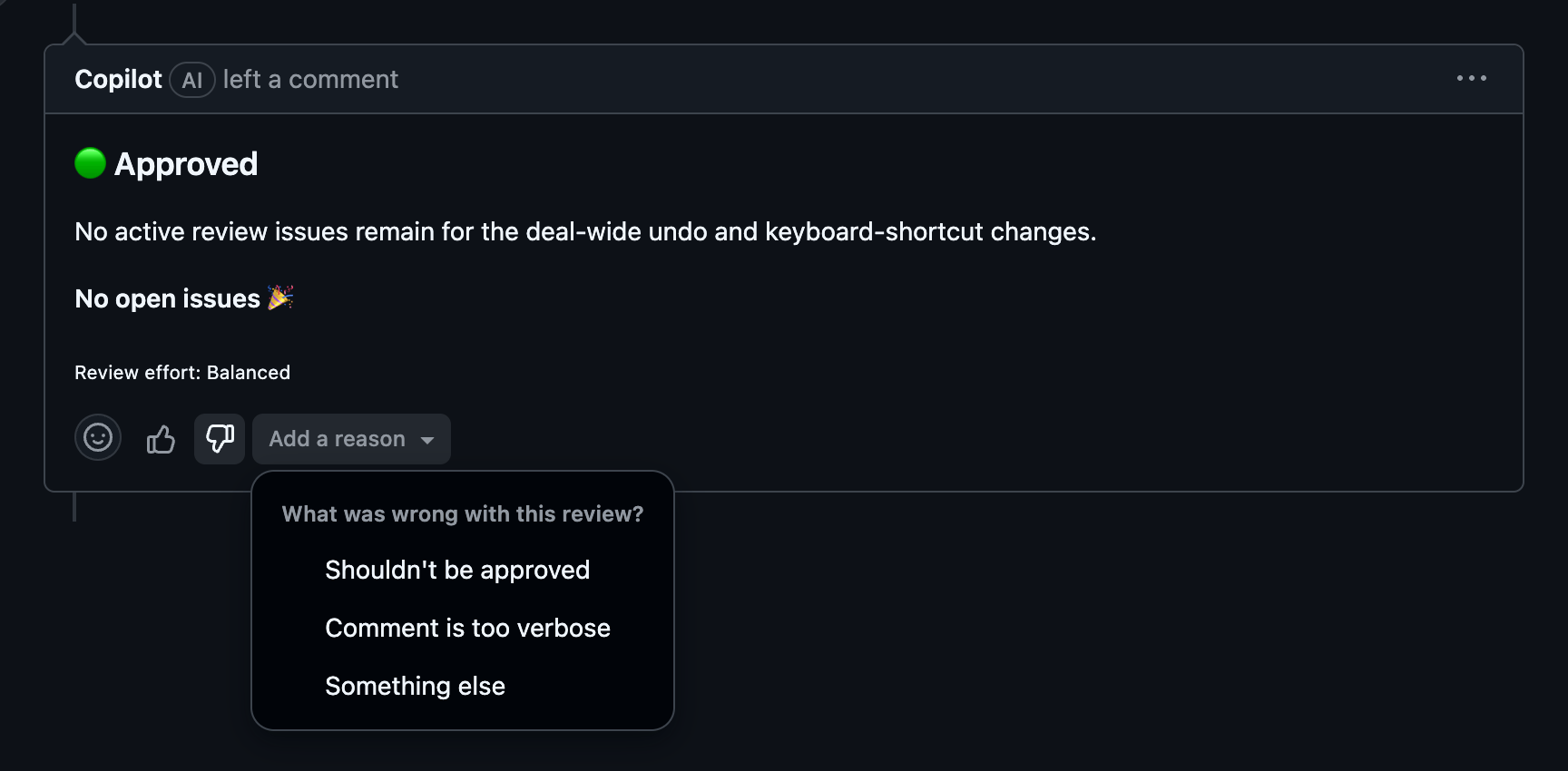
Findings first, unreviewed files in one place
The redesigned overview keeps findings together at the top and moves review effort and surveys into a compact footer. Skipped and content-excluded files share a single “Files not reviewed” section, with filenames and links explaining the exclusions.
Empty sections are omitted, and long lists show an overflow count. On subsequent reviews of the same pull request, findings unrelated to recent changes are collapsed and then hidden.
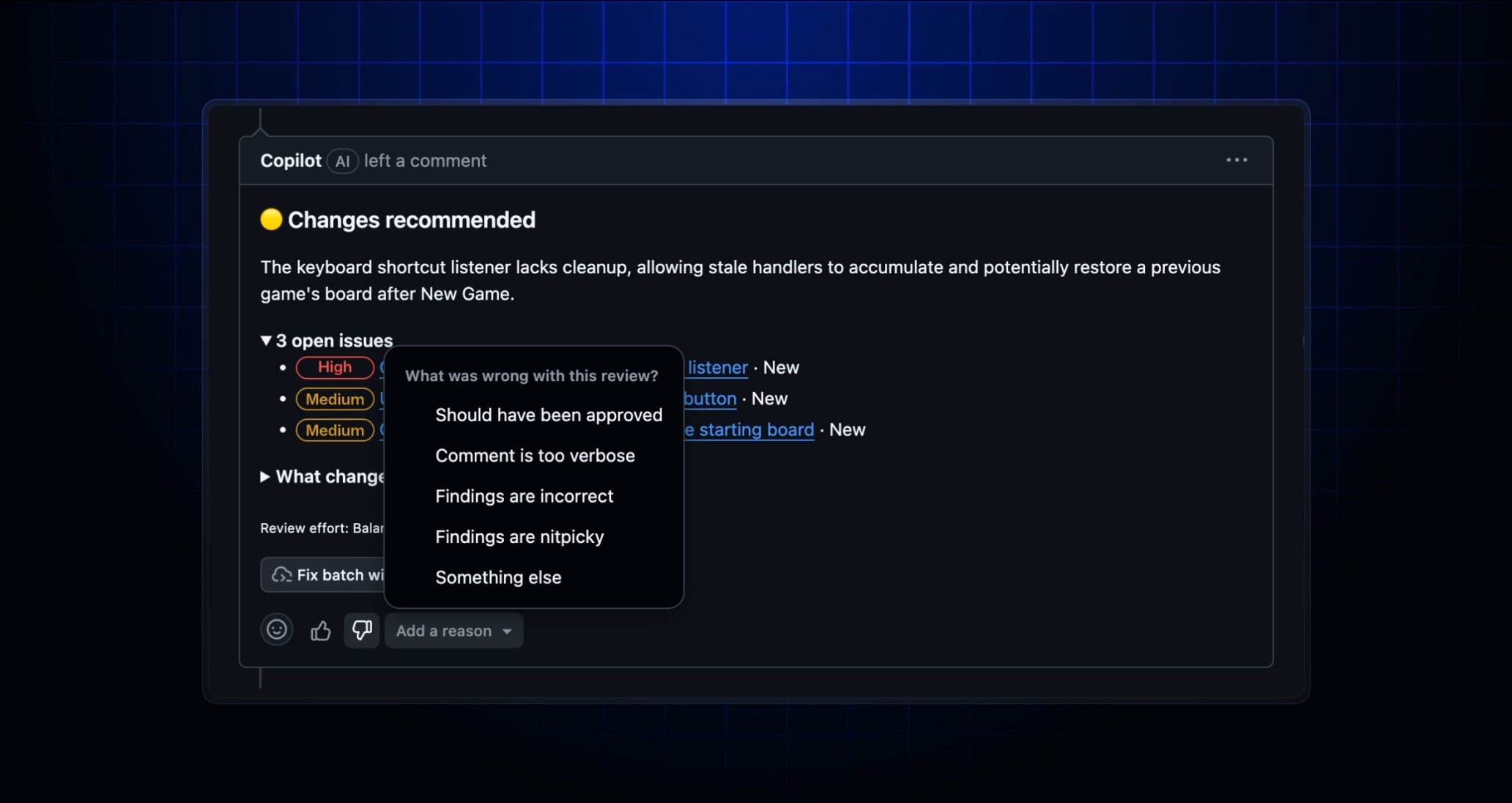
If an overview misses the mark, giving it a thumbs-down now lets you choose “Add a reason.” Options include an approval assessment you disagree with, excessive verbosity, and incorrect or nitpicky findings.
Balanced reviews use three reviewers and a combining model
Balanced effort reviews now use three reviewer models, with another model combining their findings. GitHub also says failed or timed-out reviews get one automatic retry, and Copilot can switch to another eligible model when the preferred one is unavailable.
Review agent sessions now display the AI credits consumed. Billing and preview settings are also preserved when code review is turned off and back on.
The updates are available to Copilot Pro, Pro+, Max, Business and Enterprise plans. If you use the “Automatically request Copilot code review” repository rule, it now respects the bypass list: exempt actors on that list will not receive an automatic Copilot review.
Sources and date: 2026-11-08
Comments
0No login needed. Edit or delete your comment from the same browser.
All comments 0
한국어 · English · 日本語No comments yet. Start the conversation.