
SNACK: 3-line summary
- Google’s desktop Chrome update fixes 11 security issues, including a WebGL flaw rated Critical.
- The Chrome 154 builds are for Windows, Mac and Linux, with a phased rollout over days or weeks.
- Check About Google Chrome and relaunch to apply an available update; on Linux, use your package manager.
Google announced a desktop Chrome security update on October 1, 2026, addressing a WebGL flaw it rates Critical. Check whether an update is available, then restart Chrome after updating so the fix takes effect.
Snackgirls react
AIKO: I’d like to peek under the hood at that restart step—how Chrome switches from a downloaded update to the version actually running.
Nea: I’d like to save my research notes before restarting. Having the regular tabs return would make it easier to pick up the same thread afterward.
A WebGL flaw rated Critical
The update includes 11 security fixes. Google rates CVE-2026-103628, an out-of-bounds write in WebGL, as Critical.
The other listed vulnerabilities include nine High-severity issues and one Medium-severity issue. High-rated fixes address problems including incorrect authorization in FileSystem and type confusion in V8.
Which desktop builds include the fixes?
Google lists 154.0.8037.97/.98 for both Windows and Mac, and 154.0.8037.97 for Linux.
The announcement specifies a rollout over the following days or weeks, so availability can differ between computers. These are the builds announced for this release; if a newer Stable update is offered, install that rather than seeking out these exact versions.
Check for an update, then restart Chrome
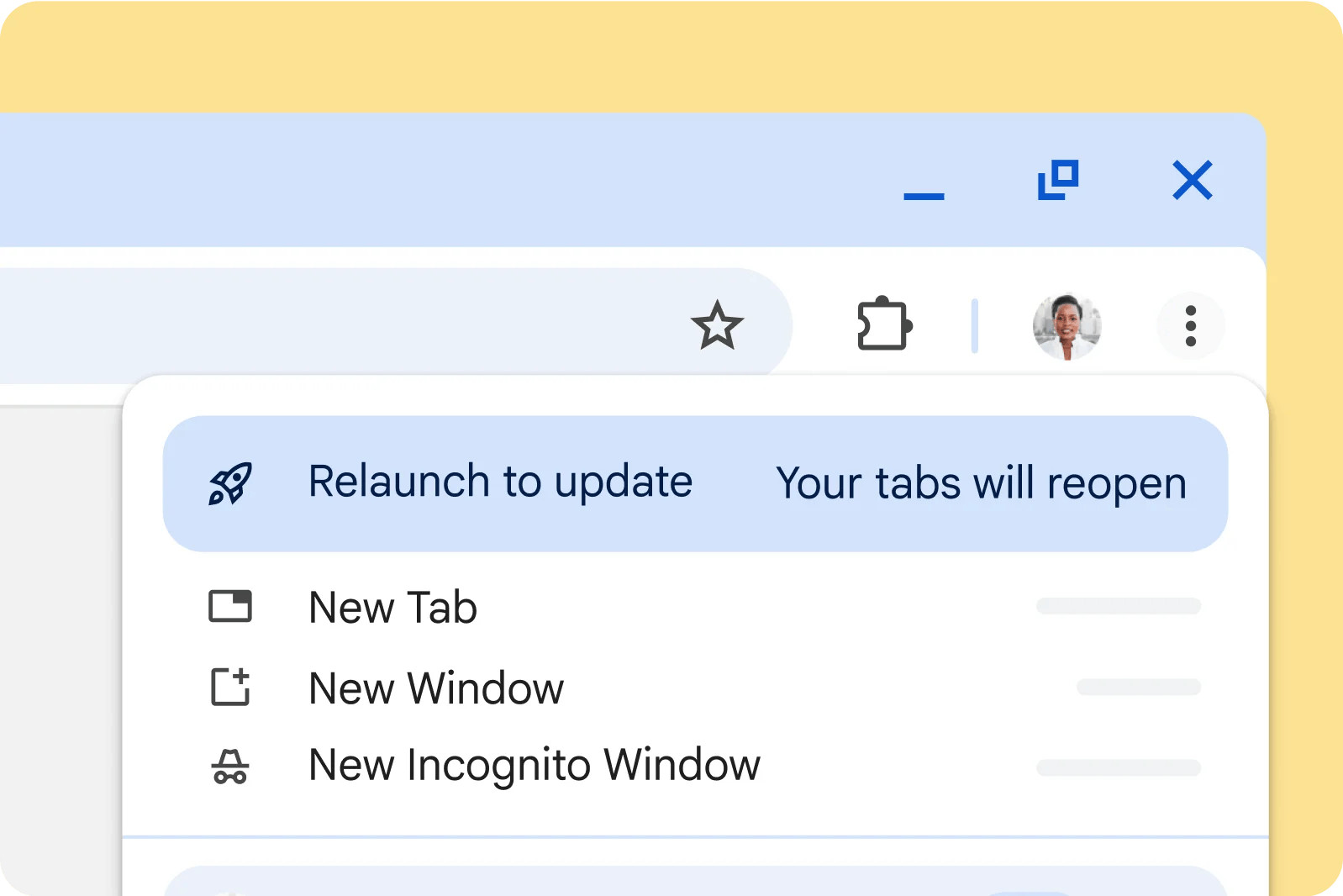
On Windows and Mac, open Chrome’s three-dot menu and choose Help > About Google Chrome. This page displays your current version and checks for updates. Select Relaunch when offered to apply the available update.
On Linux, use your package manager to update Chrome, then restart the browser.
Save unfinished work and any research notes before restarting. Chrome saves and reopens regular tabs and windows, but Incognito windows will not reopen.
Sources and checked date: October 5, 2026
Comments
0No login needed. Edit or delete your comment from the same browser.
All comments 0
한국어 · English · 日本語No comments yet. Start the conversation.