
SNACK: 3-line summary
- GitHub now lets screen readers navigate issue and pull request timelines as lists.
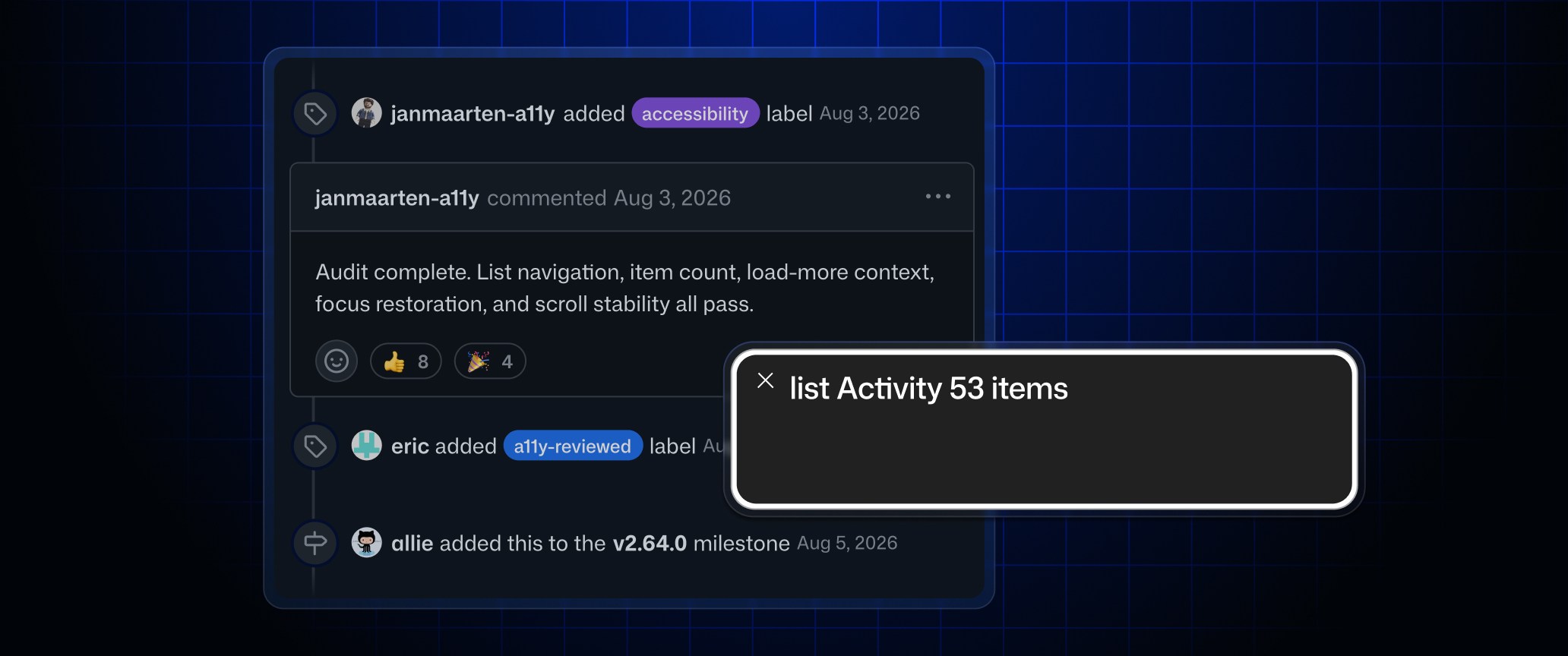
- Screen readers can announce your position in the list and how many events loaded after selecting Load more or Load all.
- The update is available on github.com and GitHub Enterprise Server 3.23.
Long issue and pull request histories can span comments, reviews and other events. GitHub’s October 8, 2026 update lets screen reader users navigate that history as a list and find relevant updates without relying on visual scanning.
Snackgirls react
AIKO: I’d like to trace how the list count and loading feedback line up as focus moves. My kind of interface detail: no decorative pixels required.
Nea: I’d like to follow the comment history of an open-source game mod project. I’m curious about where an early suggestion turns into a design decision.
Hear the event count and your place in the list
As you move through a timeline, assistive technology can announce its list structure, the number of items, your current position and how to move between events. The timeline’s visual appearance and ordinary behavior have not changed.
Hear how many new events loaded
After you select “Load more” or “Load all” and focus moves to the newest event, the screen reader now announces how many events loaded. Previously, new events loaded without that announcement.
The improvements cover issue, pull request, commit, secret scanning alert and license compliance alert timelines.
Try navigating a long issue history
The update is available on github.com and GitHub Enterprise Server 3.23. GitHub suggests opening an issue or pull request with a long history and navigating it with a screen reader such as VoiceOver, NVDA or JAWS.
In NVDA’s browse mode on Windows, L moves to the Activity list, I moves to the next event and Shift+I moves to the previous one. Commands may differ on macOS, Linux or with other screen readers.
Sources and checked date: October 9, 2026
Comments
0No login needed. Edit or delete your comment from the same browser.
All comments 0
한국어 · English · 日本語No comments yet. Start the conversation.