
SNACK: 3-line summary
- GitHub has introduced authenticated commit-pusher records in a limited public preview.
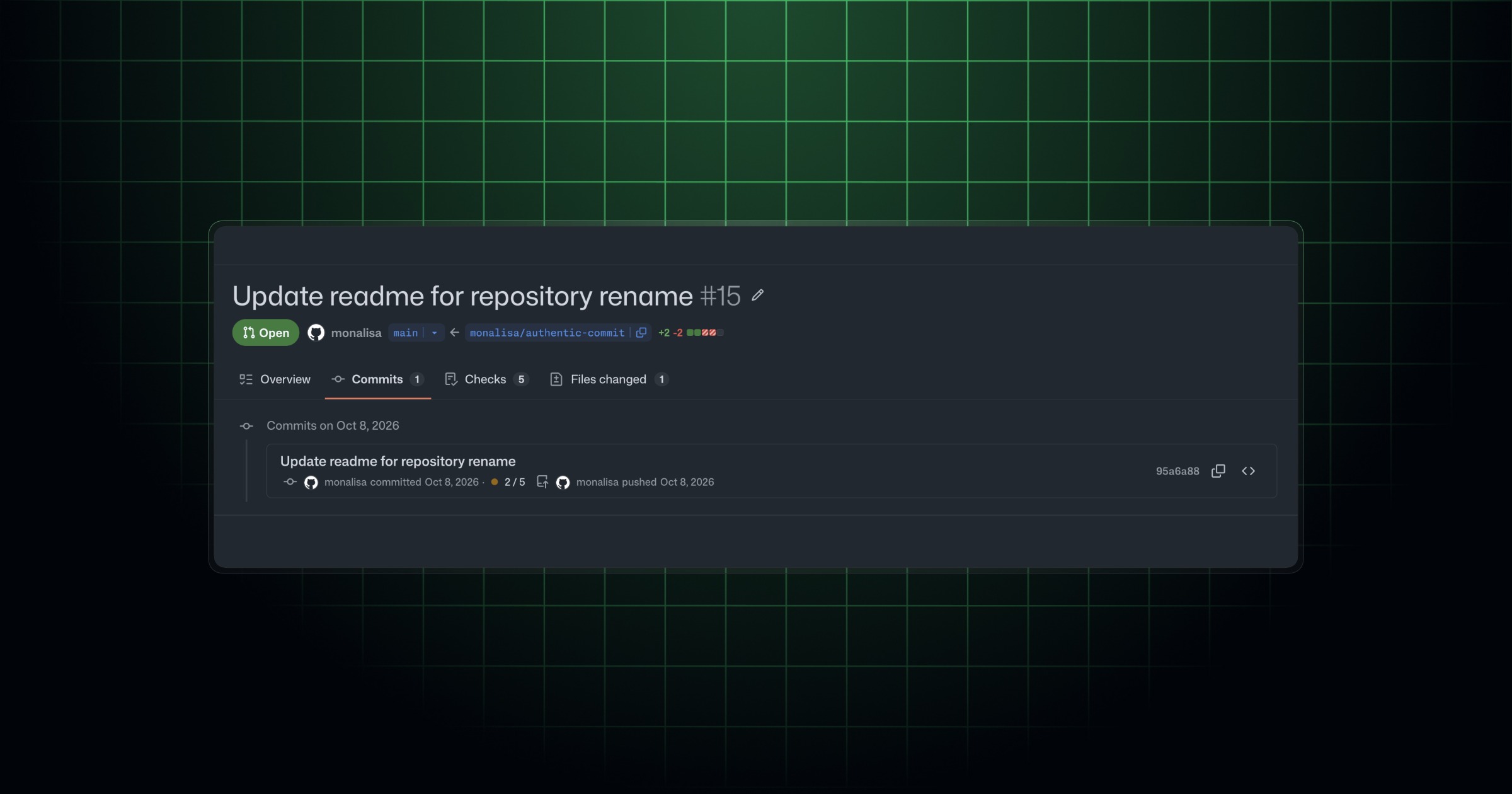
- The UI and API show who pushed each commit alongside its client-supplied author and committer details.
- GitHub Enterprise customers must request access; stricter committer-email matching requires an optional ruleset condition.
GitHub announced push attribution on October 12, 2026, as a limited public preview for GitHub Enterprise customers. The feature gives maintainers a durable record of which authenticated account pushed a commit, without relying solely on the names attached to it.
Snackgirls react
AIKO: I like keeping the client’s claims separate from the authenticated push record. If they disagree, I’d want both pieces of evidence intact.
Nea: I’d probably pause at a familiar maintainer’s name. Then I’d want to look a little closer at who actually pushed the commit.
A familiar committer name doesn’t identify the pusher
The author and committer fields contain names and email addresses supplied by the pushing client. Anyone with repository write access can choose those values. The pusher identity instead comes from the account authenticated for the push, and GitHub durably records it alongside those fields in the UI and API.
GitHub says an attacker who compromises a lower-privilege account with repository write access could make commits appear to come from a trusted maintainer. That can confuse audit trails or help the attacker evade review policies.
The optional rule checks verified email, not display names
The new Committer must match pusher condition blocks pushes when the committer email does not match any verified email address belonging to the authenticated pusher. It checks the committer, not the author, and matching a display name is not enough.
Maintainers can opt into that requirement by adding the condition to a ruleset. Recording the pusher does not itself enable the blocking rule or prevent account compromise.
How Enterprise maintainers can try it
GitHub Enterprise customers interested in the preview must contact their account team to request access. Once they have access, maintainers can decide whether the matching rule is appropriate for their repository.
When spot-checking repository activity or investigating a suspicious commit, compare the listed author and committer details with the authenticated pusher. Legitimate differences between committer and pusher can occur, so a mismatch alone is not proof of an attack.
Sources and checked date: October 13, 2026
Comments
0No login needed. Edit or delete your comment from the same browser.
All comments 0
한국어 · English · 日本語No comments yet. Start the conversation.