
SNACK: 3-line summary
- EFF has released Privacy Badger for Safari on Mac.
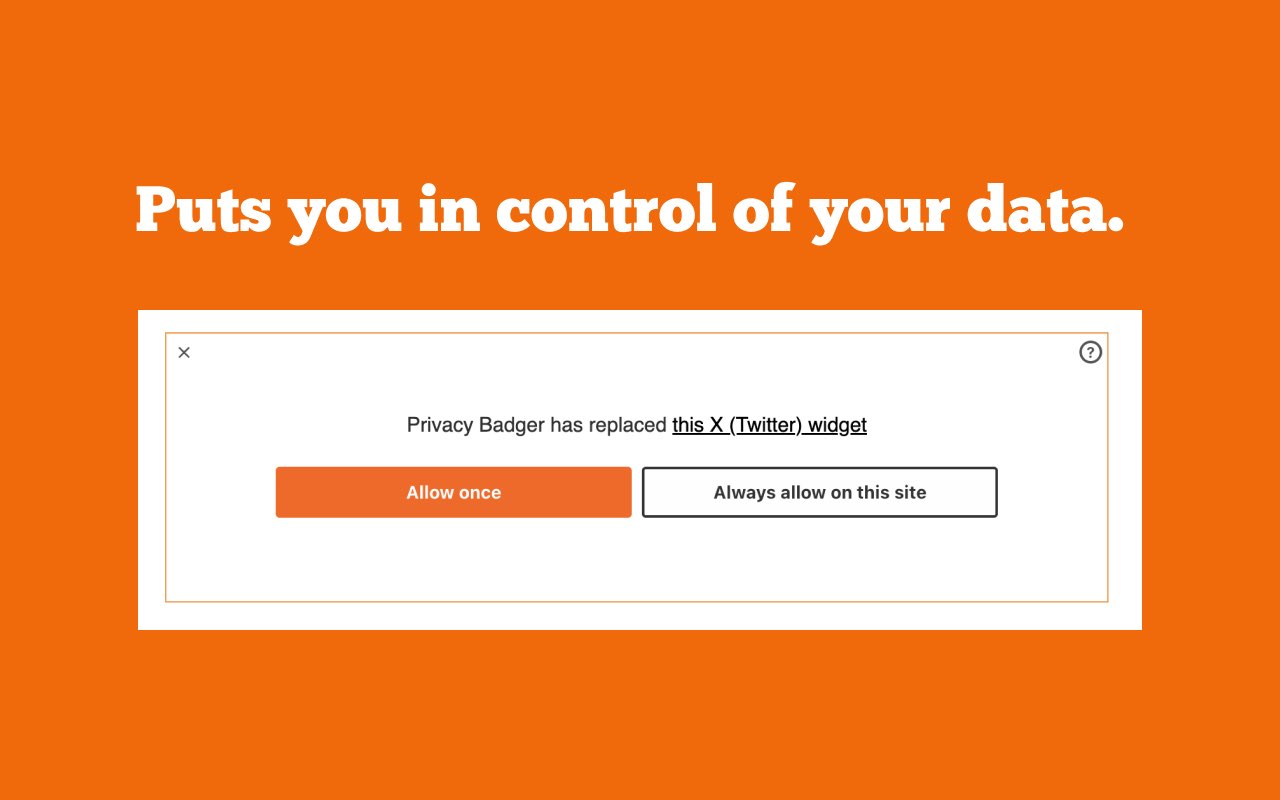
- It blocks third-party trackers and can replace tracking widgets with placeholders you choose to activate.
- Both Safari 26.5+ and macOS 15.0+ are required; Safari on iOS is not supported.
Mac Safari users can now add Privacy Badger to block third-party trackers from loading. EFF announced the free extension’s first Safari release on October 19, 2026.

Snackgirls react
AIKO: I’d like to explore what each layer handles when GPC and tracker blocking work together. Asking a site to respect a preference and preventing a tracker from loading are quite different jobs.
Nea: If a game’s fan wiki has a video replaced with a placeholder, I’d like to finish reading the character lore before deciding whether to load it.
Check both Safari and macOS before installing
You need both Safari 26.5 or later and macOS 15.0 or later—not just a compatible macOS version. Follow the App Store link on Privacy Badger’s official website to install it, then enable the Safari extension.
Safari on iOS is not supported in this release. EFF says it will investigate iOS support after working through issues on macOS, but has not announced a release date.
What changes for trackers and embedded widgets
EFF says Safari’s default browsing mode limits the information trackers can access but may still allow them to load; Privacy Badger blocks third-party trackers from loading. It may block ads that track you, but it is not designed to remove every ad. You can use it alongside an ad blocker or Safari’s advanced tracker-blocking settings.
For embedded posts, comments or video players that track users, Privacy Badger can substitute a click-to-activate placeholder, letting you choose whether to load the widget. It also automatically sends the Global Privacy Control (GPC) signal, asking websites not to sell or share your personal information.
If a page breaks, make a one-site exception
EFF says it will keep improving this first Safari release based on feedback. If a page stops working properly, use “Disable for this site” in the extension’s pop-up to make an exception without turning it off elsewhere. “Report broken site” lets you send EFF a problem report.
Sources and checked date: October 20, 2026
Comments
0No login needed. Edit or delete your comment from the same browser.
All comments 0
한국어 · English · 日本語No comments yet. Start the conversation.